


Features
– User-friendly effect plugin for creating retro dither effects
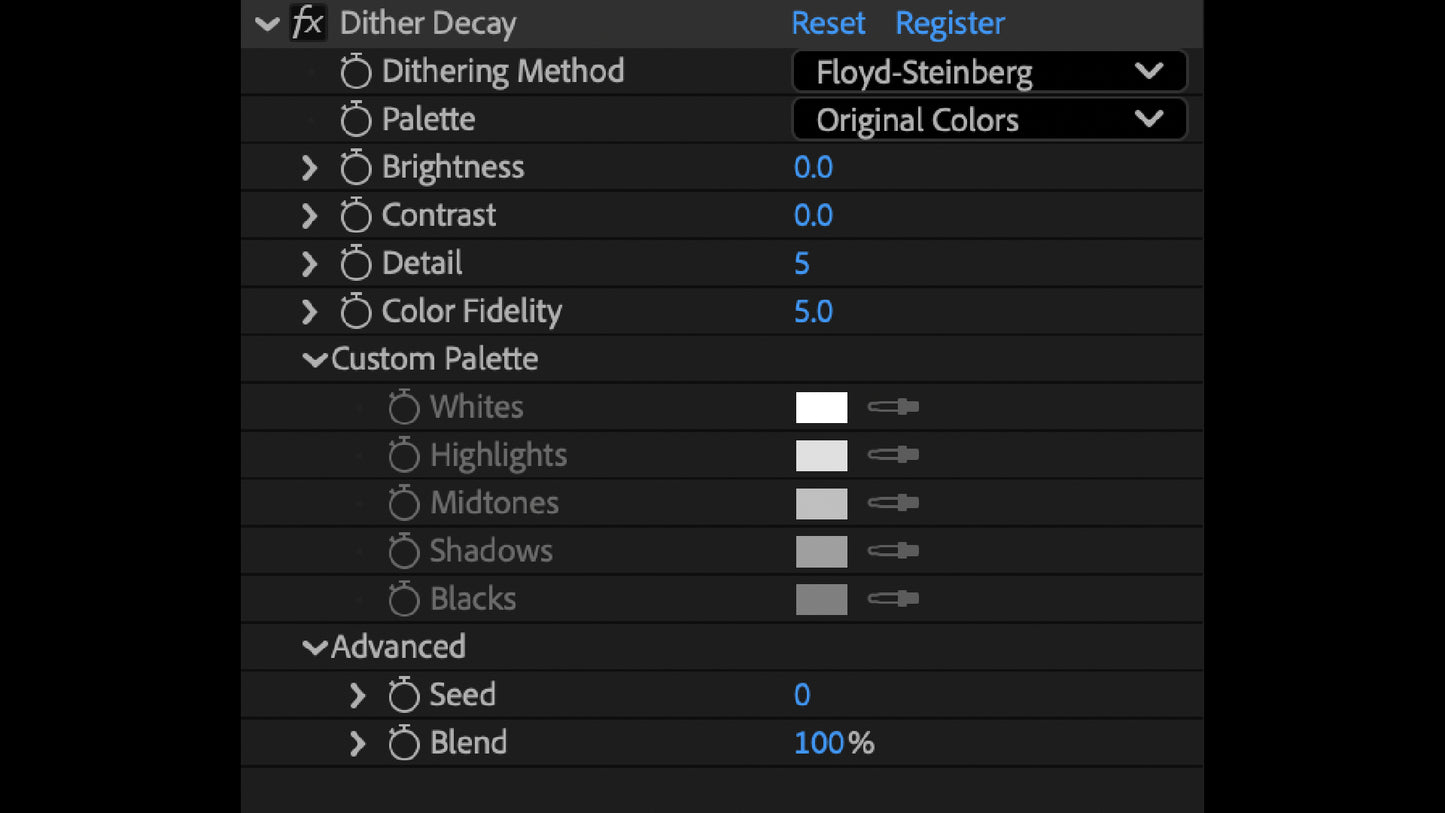
– Customize detail, color fidelity, color palette, dithering method, and more
– 11 pre-built color palettes + custom color controls
– Compatible with After Effects and Premiere Pro
Add Retro Texture To Any Project
Full Control, Minimal Effort
Dither Decay is designed to be fast and intuitive. Get great results immediately, or dig into the details and craft something specific to your project.
Providing an ideal balance of depth when you need it and quick results when you don't.
Millions of Colors To Choose
11 pre-built color palettes plus a fully custom palette selector. Say goodbye to fussing with file formats and confusing interfaces. Just select your favorite colors and watch the sparks fly.
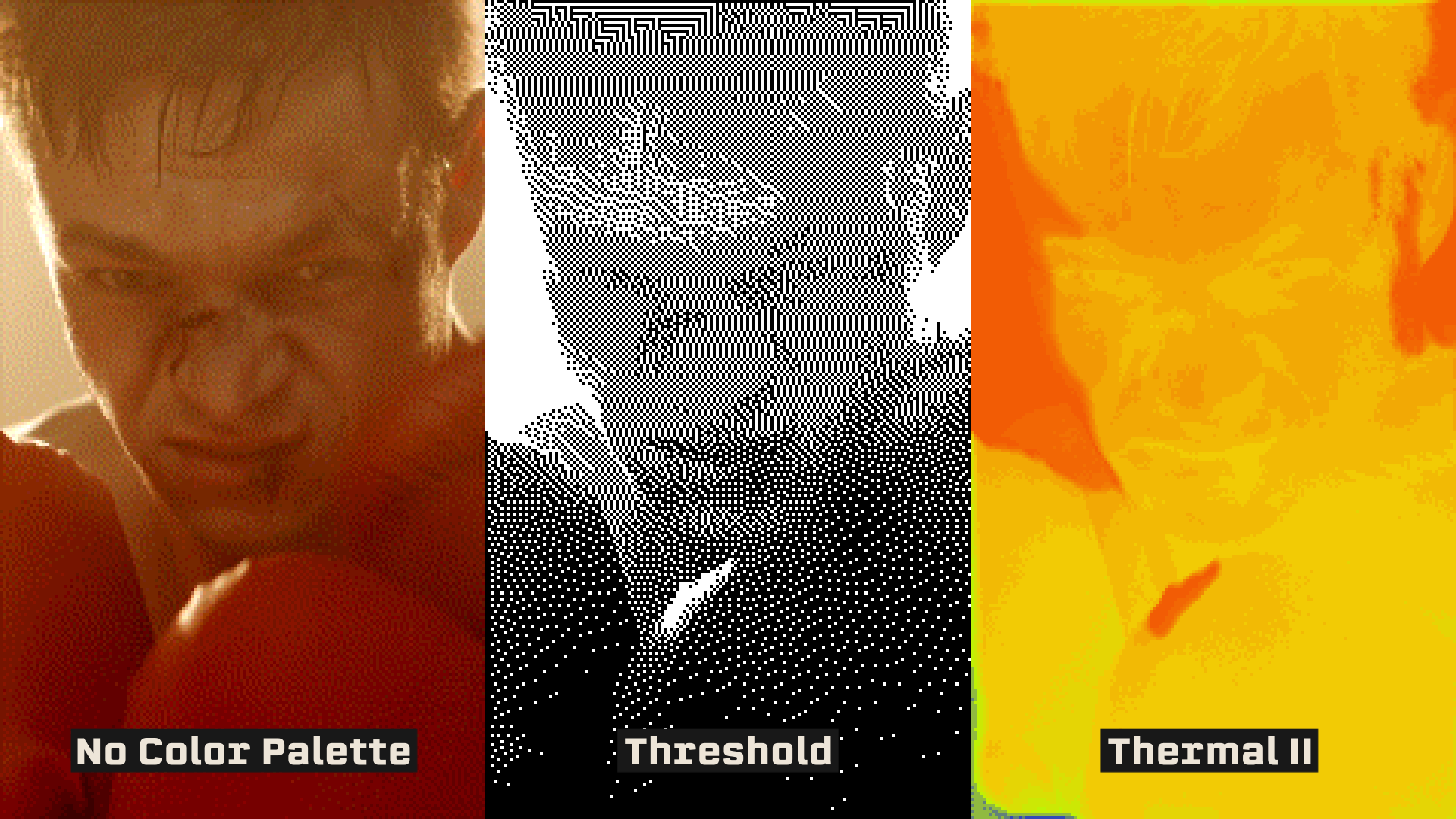
FROM SUBTLE WASH TO PREDATOR VISION
Looking for a light textural pass on some overly clean footage? Crank the detail slider and keep your original palette for a subtle wash. Or, use the Threshold palette for a hard-hitting cyberpunk vibe.
Plus, in accordance with megakrunch tradition, Dither Decay comes packed with a variety of wacky surprises, such as the 3 built-in THERMAL color palettes. Great for MILSIM and Predator knock-offs.
What is Dither Decay?
Dither Decay grinds clean footage down into dithered pixels.
Drop it on any layer in After Effects or Premiere Pro and pick one of eight classic dithering algorithms, the same math behind early Mac graphics and old console games. Then choose a palette and set how chunky it gets, from a fine textural wash to full-blown pixel art.
Every frame is redrawn from a limited palette, so the pattern wraps the shapes and light in your shot, the way an old screen or printer would have drawn it. Push it hard for music videos and title cards, or keep it low as a layer of grit on footage that feels too clean.
Eight dithering methods
Floyd-Steinberg, Burkes, Banding, Bayer 4x4 and 8x8, Atkinson, Stucki, and Sierra. Each one leaves its own mark, from scattered noise to rigid grids.
Eleven palettes, or your own
Blood Moon, Goblin, Acid Rain, three Thermals, and more. Keep the source with Original Colors, or build your own custom color palette.
Detail and color fidelity
Turn detail down for chunky pixels or up for a subtle wash, then set how much of the color survives.
Blend and seed
Blend the dither back into the source, and reseed the pattern so no two layers break the same way.
Tone before the dither
Brightness and contrast push the image around before it breaks, so you decide where the dots pile up and where they thin out.
Keyframe the decay
Every slider animates, so the dither can creep in, tear through, or settle over the length of a shot.
Requirements
SOFTWARE: Adobe Premiere Pro CS5+ or Adobe After Effects CS5+
HARDWARE: 2.4ghz processor or higher
MEMORY: 8gb RAM or higher (16+ recommended)
STORAGE: 4.47mb of available storage space
OS: Windows 10+ or macOS 10.13+
Installs and activates with PATCH BAY, the free MEGAKRUNCH install manager. Get PATCH BAY