


Features
– User-friendly effect plugin for creating retro dither effects
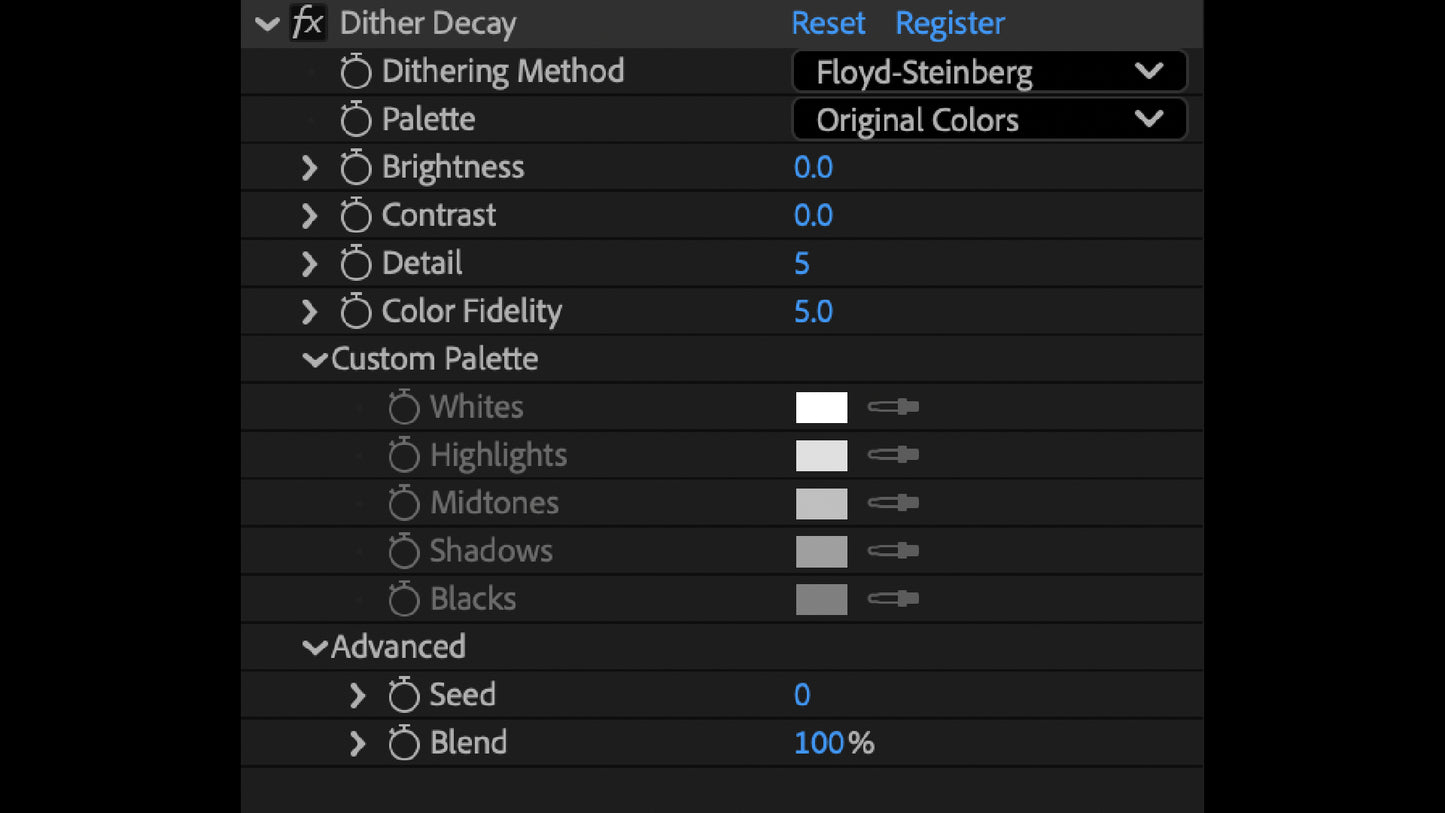
– Customize detail, color fidelity, color palette, dithering method, and more
– 11 pre-built color palettes + custom color controls
– Compatible with After Effects and Premiere Pro
Add Retro Texture To Any Project
Full Control, Minimal Effort
Dither Decay is designed to be fast and intuitive. Get great results immediately, or dig into the details and craft something specific to your project.
Providing an ideal balance of depth when you need it and quick results when you don't.
Millions of Colors To Choose
11 pre-built color palettes plus a fully custom palette selector. Say goodbye to fussing with file formats and confusing interfaces. Just select your favorite colors and watch the sparks fly.
YOUR FAVORITE GRUNGEY FLAVORS, NOW ON DEMAND
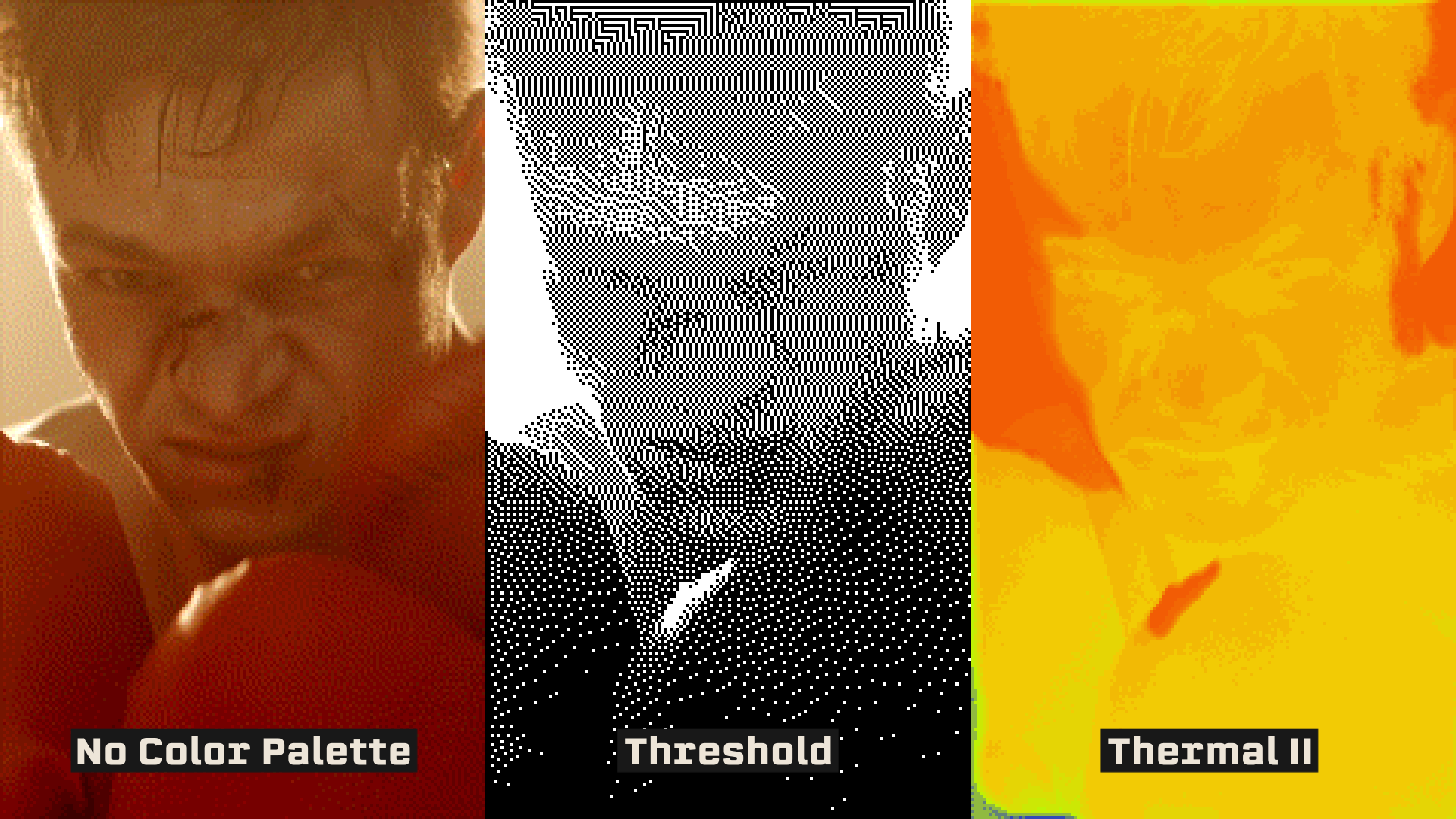
Looking for a light textural pass on some overly clean footage? Crank the detail slider and keep your original palette for a subtle wash. Or, use the Threshold palette for a hard-hitting cyberpunk vibe
Plus, in accordance with megakrunch tradition, Dither Decay comes packed with a variety of wacky surprises, such as the 3 built-in THERMAL color palettes. Great for MILSIM and Predator knock-offs.
What is Dither Decay?
Dither Decay is an effect plugin, compatible with Adobe After Effects and Premiere Pro.
Apply it to any element, and compress your source image using classic dithering algorithms such as Floyd-Steinberg, Burkes, Banding, Atkinson, Bayer 4x4/8x8, and more. Easily tap into the charming appeal of lo-fi pixel art and analogue degradation with a grungy, textural wash that gives your project real character.
Multiple Dithering Methods - Select one of 8 classic dithering algorithms: Floyd-Steinberg, Burkes, Banding, Bayer 4x4/8x8, Atkinson, Stucki, and Sierra.
Color Presets & Customization - Includes 11 hand-tuned color palettes for quick vibes, or define your own with the built-in custom palette selector.
Detail Control - Set "detail" low for some chunky pixels or turn it up for a subtle textural wash. Fine-tune your output to get the perfect level of detail for what you need.
Fast & Intuitive - Built to get you from idea to output as fast as possible. Achieve great results immediately or dial in a custom look that feels like you.
Requirements
SOFTWARE: Adobe Premiere Pro CS5+ or Adobe After Effects CS5+
HARDWARE: 2.4ghz processor or higher
MEMORY: 8gb RAM or higher (16+ recommended)
STORAGE: 4.47mb of available storage space
OS: Windows 10+ or macOS 10.13+
Installs and activates with PATCH BAY, the free MEGAKRUNCH install manager. Get PATCH BAY